
Someone left on Friday. What can they still open?
When someone leaves, the laptop usually comes back. The keys, the alarm code and the work email on their phone are easier to miss, and it’s rarely anyone’s fault. Here is what to switch off, and a one-page sheet to do it with.
Two things on one key ring
Friday, 4pm: a cake, a card, and the laptop handed back. Jamie’s key ring goes home with a key to the back door and a fob. The key can’t be switched off without a locksmith. The fob can, in a couple of minutes from a phone. In the video, nobody did it, because everyone thought someone else had. With one list and a name next to each line, someone does.
The doors
Most buildings run on keys, a code or two, and an alarm. Here’s what each one needs on someone’s last day.
- Keys. A key can’t be switched off. Count what comes back against what you handed out, and remember that a copy cut at the hardware store never shows up in that count. If one doesn’t come back, re-keying that lock is the only real fix, which is why it tends to get put off.
- Door and keypad codes. If they had a code of their own, delete it. If everyone shares one code, it has to change for everyone, which is a good reason not to share one.
- The alarm code. Usually set up by your alarm company. Ask them to delete the code that belonged to the person leaving, and change any shared code they knew.
- Everything else that opens. The garage remote, the gate code, the lockbox, the storage unit, the company truck.
- Fobs and cards, if you have door access. Here the question changes. It’s no longer whether you got it back, only whether it still works, and switching it off takes a couple of minutes from a phone, so it can be done before they leave the parking lot. Do that first. A fob in a drawer is fine; a fob that still opens the door is the problem.
If we installed your door access, you already have the fastest part: open the app and switch them off, or call our help desk and we’ll do it for you.
The logins
The other half is quieter, because nothing has to be handed over. That’s why it’s easy to miss.
- Their work account. Turn off the sign-in on their last day, in Microsoft 365 or whatever your email runs on. Block it rather than delete it: deleting can take their mailbox and files with it, and blocking stops the person while keeping the work.
- The phone in their pocket. Changing the password isn’t always enough, because a phone that was already signed in can stay signed in for a while. Sign them out of every device as a separate step.
- Shared passwords they knew. The supplier portal, the online banking login, the company’s social media accounts, the Wi-Fi. Anything they knew and the rest of you still use gets a new password.
- Sign-in codes sent to their phone. If a shared account sends its security codes to their personal number, move that to someone who is staying, or the next time you need a code, it goes to them.
- Where their email goes next. Customers may keep writing to them for months. Forward it to someone, or set a reply that says who to contact, so nothing goes quiet.
One list, with a name next to each line
Usually the trouble is that nobody owns the job. The office manager collects the keys, because keys are something you can hold. Whoever looks after the computers deals with the laptop. The alarm belongs to the alarm company, and the shared passwords belong to nobody.
Each person assumes someone else did their part, so the door code still works and the email still signs in, not because anyone meant it to, but because it was never on anybody’s list. The fix is simple: a list.
Keep one short list for the day someone leaves, covering doors, alarm codes and logins, with a name next to each line so nobody has to assume. Work down it on their last day, and nothing is left to memory.
It works even better if you start it on their first day. Every time you hand someone a key, a fob, a code or a login, write it down. Then on the last day, the list is already written.
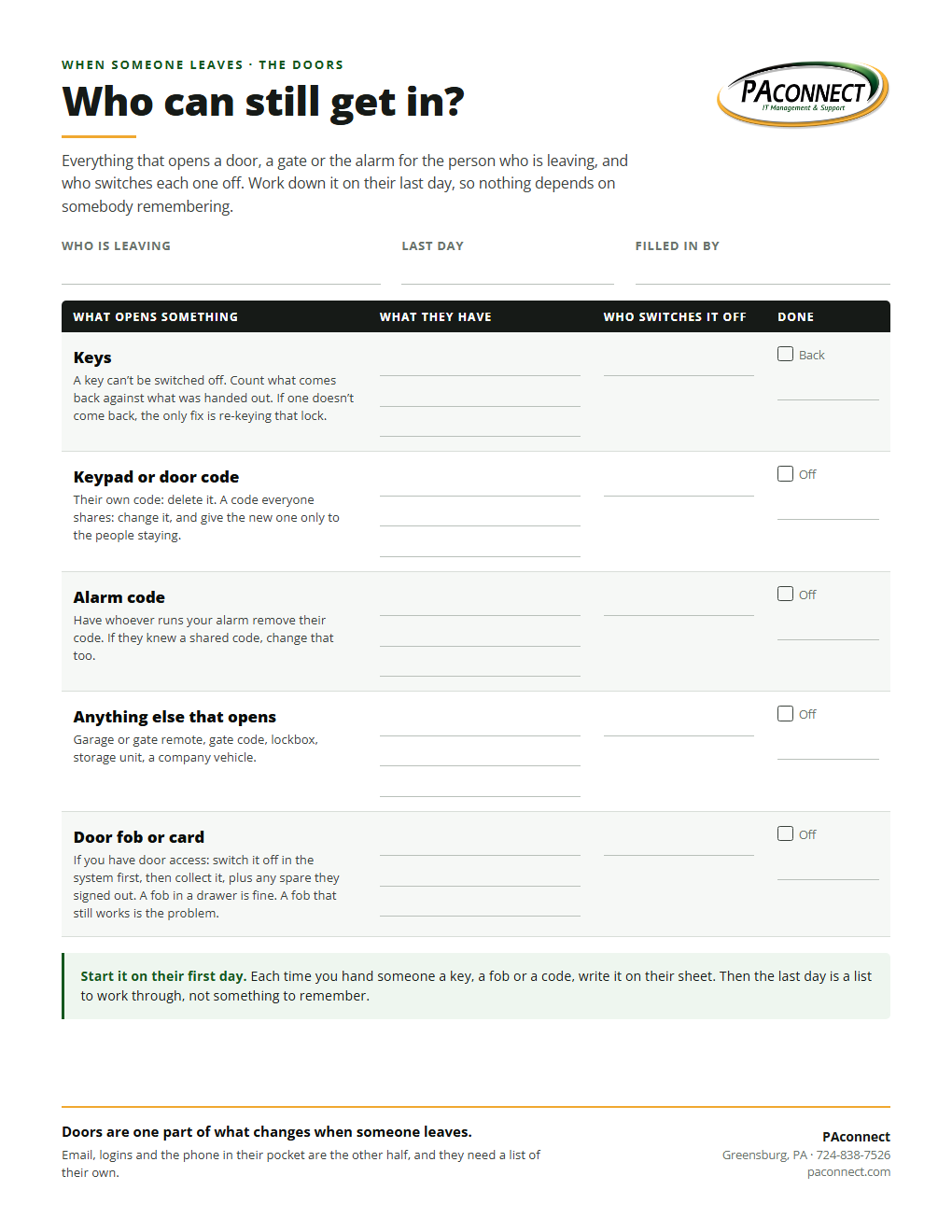
What can they still open? The door sheet
One page for the doors: keys, codes, the alarm, and fobs if you have them, with a column for who switches each one off. Print a few and keep them with your personnel files.
Download the sheetPDF, one pageWhen it’s the system’s job, not someone’s memory
A list fixes the forgetting. An access system fixes the keys. With door access, nobody drives to the building and nobody calls a locksmith: whoever runs the system opens the app on a phone or a laptop, finds the name, and switches that person off. It takes a couple of minutes.
We set it up so you can do that yourself, from anywhere, and we show you how before we leave. If you’d rather not, call our help desk and we’ll do it for you. From then on the building keeps its own record of every door on the system, including who switched somebody off and when. How door access works →
On the logins side, accounts left on for people who have gone are something we look for when we check a business’s security. What else we find when we look →